
Biometric Help
Support Center | Product FAQs & Resources
Time & Attendance Systems Support
Face Recognition Help
Q&A Facts
Can you enroll users if the unit is sitting on a table or does it have to be mounted on a wall?
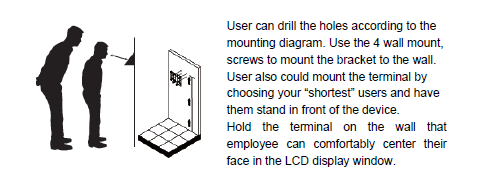
The clock should be mounted. When using more than one, pains should be taken to ensure they are all on the same level. When enrolling, I recommend putting a spot or something on the ground so people know where to stand.
When the SY-910 face recognition clock receives a good punch, is there any indicator displayed on the LCD screen to let employees know it was a good punch?
Yes - it gives a checkmark icon and a cheerful chime sound.
Can you enroll a user at one clock and push a template to several clocks through software?
Employees can enroll at one clock and use that template at other clocks without re-enrolling. However, to make the usage easier on the employee, ensure the clocks are at the same height with the same distance away from the clock to stand. Basically, customers have to recreate the way they were enrolled to punch.
If someone tries to punch in twice within 5 minutes, what happens?
Already Punched message gives a yellow exclamation point icon. The 2nd punch gets ignored.
Can SY-910 Face Recognition Unit ring bells?
Yes, but programmed at the clock directly via the keypad. We are working with the developer to attempt to get them sent from the software.
What happens if someone not enrolled tries to punch at SY-910 face recognition clock? Is there any noise or anything displayed on screen, or does it just time out?
The first time you attempt to punch and are not enrolled, it will time out by default. However, you can change it by going to Menu>System Settings>Security>Alarm>Rejection Alarm ON - there is a rejection time (meaning you can set it to 1-3 for the attempts for the alarm to go off).